


Weather Station
3.4605.00 Reviews
App Specs
- Version
- 1.0.4.9
- Updated On
- License
- Free
- Downloads
- 5,000,000+
- Developer
- Dromosys
- Categories
- Weather
- Platform
- Android
Screenshots
 Analysis by AppCompare
I find Weather Station most useful when I treat it as a place to inspect weather details, not as a promise that every forecast will match my street exactly. That distinction matters with any weather app, especially when a small change in rainfall or wind can affect a commute or outdoor plan. Its focus on readings, sensors and maps gives it a more hands-on feel than a simple screen that only answers “sunny or rainy?”
The app comes from Dromosys and sits in the weather category. It is free to install, with optional in-app purchases ranging from $0.99 to $20.99 per item, so I would start with the free experience and decide whether anything extra is worth paying for only after using it. It is rated for Everyone, and its current version is 1.0.4.3, with Android 6.0 as the minimum operating system. Those basics make it approachable for many users, though they do not guarantee that every older device will feel equally responsive.
Where a weather app can feel confusing
Weather Station’s range of information can be a strength, but it can also make the first visit less immediate than a stripped-down forecast app. If you only want to know whether to bring a jacket, a screen full of measurements, map options and sensor-related information may feel like more work than the question deserves. I would begin by identifying the one decision I need to make, then look for the reading that helps answer it rather than trying to interpret everything at once.
That approach is especially useful with pressure and humidity. They can add context to a changing day, but they are not substitutes for a direct forecast or an official severe-weather warning. I use them as supporting clues: a shift in conditions can make me check the outlook again, while the actual plan still depends on the forecast and what I observe outside. The useful habit is to compare information over time, not to react to one isolated number.
Simple checks before relying on a reading
If a location looks wrong, I would first check that the selected place is the one I intend to follow. Multiple-location support is handy for home, work or a destination, but it also makes it easy to read the wrong place in a hurry. Before leaving, I make a quick point of confirming the displayed location rather than assuming the app has switched automatically.
For sensor-related readings, it helps to distinguish information from the app from measurements made by a device. A phone is not a dedicated outdoor weather station, and a reading connected with sensors should not automatically be treated as a calibrated measurement of the conditions at your exact position. If accuracy is important for a practical decision, compare the app’s picture with a trusted local forecast and, where appropriate, a separate instrument designed for that measurement.
Recovering a useful routine when something seems off
When the screen seems stale or a forecast does not match what I see, I avoid making several changes at once. I check the location, revisit the relevant map or forecast view, and give the information a moment to refresh. If it still seems inconsistent, I compare another source before changing plans. This simple sequence helps separate a wrong location or temporary display issue from a genuinely uncertain forecast.
Worth Reading Before You Choose

EA SPORTS FC Mobile 26 Is a Bigger Football Game, but It Takes Time

Flipboard Shows What News Apps Must Do Beyond the Feed

Switching to Android Auto Means Rethinking Your Driving Routine

Google Calendar Makes a Crowded Week Easier to Manage

Ludo King Makes the Most of the Minutes Between Plans

Baby Panda World Brings Quick Play to Modern Phones, but Its Game Library Feels Busy
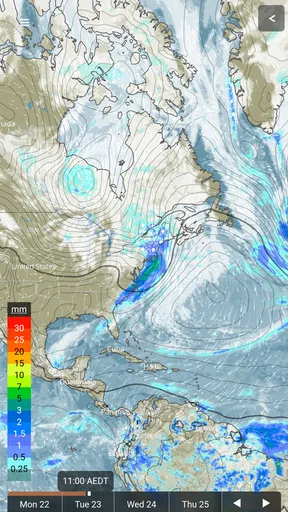
A map is most useful when I have a specific question, such as whether conditions are changing along a route or near a planned destination. I would not use a broad map view as a replacement for checking the local forecast, and I would avoid drawing a precise conclusion from a visual pattern without looking at the accompanying details. Weather changes quickly; a map can help me orient myself, but it cannot remove that uncertainty.
When the problem may be outside the app
Not every mismatch means Weather Station is malfunctioning. Forecasts describe changing conditions across an area, while a shower can affect one neighborhood and miss another. Buildings, hills and the distance between a reporting point and my actual location can also make the weather outside feel different from a general reading. When the difference matters, I check a second source and use what I can observe locally rather than treating one screen as the final word.
Connectivity can affect how current an online forecast appears, while device performance can shape how smoothly any app opens. If the information does not seem current, I check that the device has a working connection and that I have the intended location selected. I also keep a backup source in mind for severe conditions; a weather app is useful for everyday planning, but I would not rely on one app alone for urgent safety decisions.
Getting to Know the Interface
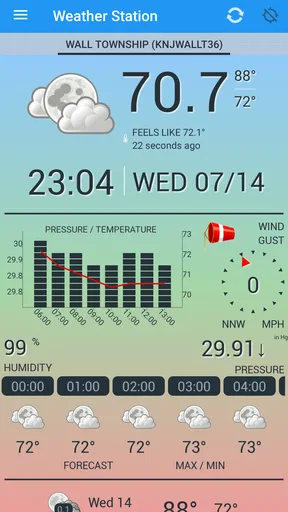
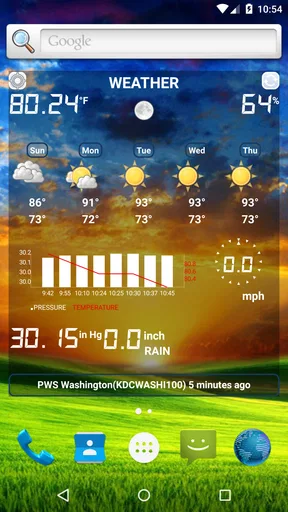
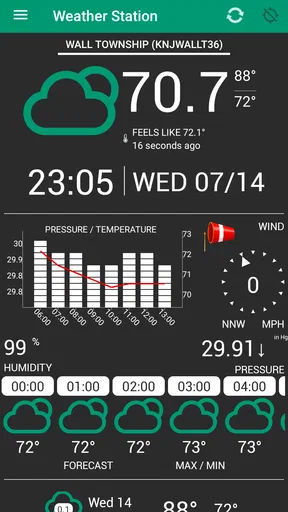
First things first, let’s talk about the interface. When you open Weather Station, you're greeted with a slick, user-friendly design. It’s not cluttered with ads or unnecessary information, which is a breath of fresh air. The main screen gives you a quick overview of the current weather, including temperature, precipitation, and wind speed. It’s all laid out in a way that’s easy on the eyes and super simple to navigate.
One of the standout features is the customizable dashboard. Yes, you can tweak it to show what matters most to you, whether that’s the UV index, humidity, or even the pollen count. This is particularly useful if you have allergies and need to plan your day accordingly.
Features You’ll Love
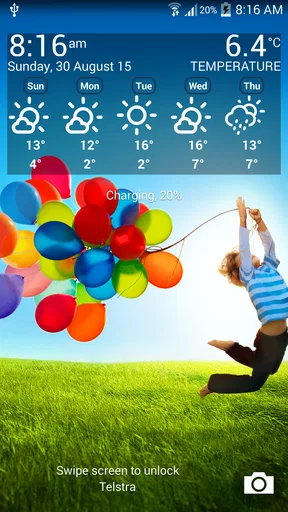
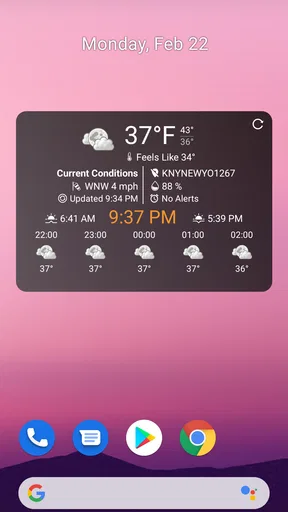
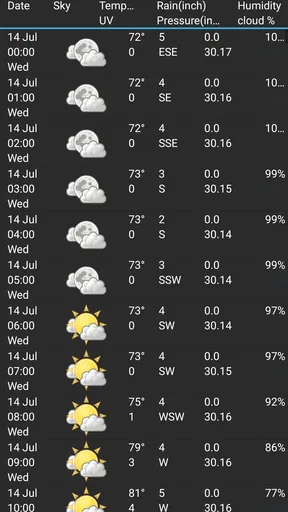
Let’s dive into some of the features that make Weather Station worth downloading. One of my favorites is the hourly weather forecast. You can see how the weather will change throughout the day, which is perfect if you’re planning something outdoors. The app also provides a 7-day forecast, so you can look ahead and plan your week like a boss.
Another cool feature is the weather alert system. The app sends you notifications for severe weather conditions. I tested it out, and sure enough, it pinged me about an incoming thunderstorm before the skies even turned gray. Talk about being prepared!
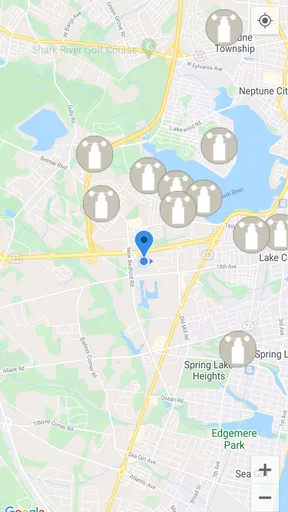
For the globe-trotters out there, Weather Station supports multiple locations, so you can keep tabs on the weather in all your favorite spots. Just a tap, and you’re updated on the weather in Paris, Tokyo, or wherever your heart desires.
Performance and Reliability
Now, let’s talk performance. I’ve used a fair share of weather apps that took forever to load or crashed at the worst possible moments. Thankfully, Weather Station doesn’t fall into that trap. The app runs smoothly, with quick load times and no annoying lag. It’s reliable, which is crucial when you’re relying on it to decide whether to pack that raincoat.
The accuracy of the forecasts is also impressive. I cross-checked it with other weather services, and Weather Station held its own, providing accurate predictions that matched up well with the actual weather.
Why Choose Weather Station?
So why should you choose Weather Station over the myriad of other weather apps out there? Simply put, it offers a seamless experience packed with all the features you need without any of the fluff. It’s customizable, reliable, and keeps you in the loop with precise weather alerts.
Whether you’re someone who likes to meticulously plan every day or you just want to avoid getting caught in the rain, this app has got you covered. Plus, the ad-free interface is a massive plus for those who value an uninterrupted user experience.
Putting its tools to work in everyday plans
The best way I can see using the hourly view is to make a decision close to the time it matters. Say I am planning a walk after work: I check the forecast in the morning, then look again before leaving, paying attention to whether rain is expected during the actual window rather than assuming the whole day will be alike. That small habit is more useful than checking repeatedly without a clear question, and it helps me decide whether to take a light layer or shift the walk.
For a weekend outing, the longer forecast is a planning aid, not a fixed itinerary. I would use it to spot a potentially unsettled day, then make the final call nearer the outing. If the plan involves a long drive, an exposed trail or someone who is sensitive to heat, I would check the relevant forecast again before setting off. The trade-off is simple: more detail helps me plan, but it can create false confidence if I forget how quickly conditions can change.
Multiple locations have a practical use beyond travel. I can keep home and a destination in view, then compare the broad outlook before choosing when to leave or what to pack. The non-obvious caution is to make sure I am reading the destination rather than the familiar home screen; a quick glance can otherwise answer the wrong question. For a trip, I would add or select places deliberately and check the active location each time I return to the app.
The maps are most valuable when I use them to form a better question, not to make a detailed prediction from appearance alone. If a route crosses a wide area, a map can help me notice that conditions may differ between the start and destination. I would then open the location-specific forecast and decide whether the difference changes my plans. This two-step workflow is more sensible than treating a colorful map as a precise timeline for every street.
Who will get the most from it
I think Weather Station makes the most sense for people who enjoy checking more than the headline temperature. If humidity, pressure, maps or sensor information help you make day-to-day choices, the app offers a more exploratory style than a basic forecast card. It can also suit someone who tracks several places and wants a single weather tool for home and destinations, provided they are willing to verify which location is active.
It is less compelling for anyone who wants the simplest possible glance and nothing else. A lightweight forecast app may be a better fit if you rarely check beyond temperature and rain, or if you prefer not to navigate through several kinds of weather information. Likewise, people making high-stakes decisions around outdoor work or safety should use authoritative local alerts and suitable professional tools rather than treating a consumer weather app as their only source.
The audience numbers suggest that it has found a substantial group of users: Weather Station has over five million installs and an average rating of 3.4 from around eighteen thousand ratings, alongside more than six hundred written reviews. I read that as a reason to approach it with realistic expectations, not as a verdict that settles whether it will suit me. Ratings reflect different phones, locations and expectations; the practical test is whether its views help with the decisions I actually make.
Choosing it over a simpler forecast app
Compared with the usual weather app that prioritizes a quick daily summary, Weather Station’s appeal is breadth. It brings together forecasts with measurements, maps and sensor-oriented information, which can reward a curious user who likes to inspect conditions. The trade-off is attention: a straightforward alternative may answer “Do I need an umbrella?” faster, while this app is better suited to someone who wants context as well as an answer.
I would not switch from a trusted local warning service just because this app offers alerts. Notifications are helpful as a prompt, but they should not be the sole safety plan when severe weather is possible. Similarly, a dedicated weather instrument is a better choice when exact on-site measurements matter. Weather Station is most persuasive in the middle ground: everyday planning, checking several places and gaining a broader view without carrying specialist equipment.
Cost, expectations and my practical verdict
Being free to download makes it easy to try, but the presence of in-app purchases means I would not assume every option is included at no cost. I would explore the basic workflow first and only consider a purchase if I can identify a specific feature I use often enough to justify it. That is a more sensible approach than paying before I know whether the app’s detailed style fits my routine.
Weather Station was released on December 29, 2011, and its long history gives it a familiar, established place in the category, while the current version remains 1.0.4.3. It is suitable for Everyone and supports devices running Android 6.0 or later. Those details help with the basic install decision, but the bigger question is still personal: do I want a weather app that invites me to inspect conditions, or one that gives me the quickest possible summary?
For me, this is worth trying if I value maps, multiple locations and a more detailed look at the weather, and I am comfortable checking another source when the forecast affects an important decision. I would skip it in favor of a simpler alternative if all I need is a clean, instant yes-or-no answer about rain. Used with that distinction in mind, Weather Station can be a useful everyday companion—informative without being a substitute for local judgment.
If you’re ready to take control of your daily weather needs, give Weather Station a whirl. It’s available for download on both Android and iOS, so go ahead and check it out. You might just find yourself wondering how you ever managed without it.
In conclusion, Weather Station is more than just a weather app; it’s your personal weather guide that ensures you’re always a step ahead of the elements. Whether you’re planning a picnic, a hike, or just your daily commute, this app helps you make informed decisions with ease. So, what are you waiting for? Dive in and make every day a sunny day!
Pros
- Accurate local forecasts.
- Real-time weather updates.
- User-friendly interface.
- Customizable alerts.
- Detailed radar maps.
Cons
- Ads can be intrusive.
- Premium features are costly.
- Occasional app crashes.
- Limited offline functionality.
- Slow load times on older devices.
FAQs for Weather Station
What features does Weather Station offer?
Weather Station provides real-time weather updates, detailed forecasts, and severe weather alerts. Users can access hourly and weekly forecasts, view interactive radar maps, and receive personalized weather notifications. Additionally, the app offers detailed information like wind speed, humidity levels, and UV index for comprehensive weather tracking.
Is Weather Station free to use?
Weather Station offers a free version with basic features, including daily forecasts and radar maps. However, for an ad-free experience and access to premium features like advanced alerts and personalized notifications, users can opt for a subscription. The app provides a free trial for new users to explore premium features.
How accurate is the weather data provided by Weather Station?
Weather Station uses data from reliable meteorological sources and employs advanced algorithms to enhance accuracy. The app updates frequently to provide the most current weather conditions and forecasts. Users often find the alerts and predictions to be precise, making it a dependable choice for weather tracking.
Can I customize notifications in Weather Station?
Yes, Weather Station allows users to customize notifications based on their preferences. You can set alerts for specific weather conditions, such as rain, snow, or severe weather warnings. The app also lets you choose the frequency of notifications and select quiet hours to avoid disturbances during certain times.
Does Weather Station support multiple locations?
Weather Station supports tracking weather for multiple locations. Users can easily add and switch between different cities or regions to monitor weather conditions for travel planning or keeping an eye on family and friends in other areas. This feature is particularly useful for frequent travelers and those with loved ones abroad.


